Matrix
Matrix is an open-source communications platform, allowing you to chat to communities of your choice. An important feature of Matrix is its end to end encryption, allowing you to talk privately and securely.
Comparison to Discord
Section titled “Comparison to Discord”Matrix has many parallels to Discord, but also some important differences. This comparison may be useful to you when migrating:
- Instead of Discord “channels”, you have Matrix “rooms”. Rooms can both be joined within a space (explained below), or standalone, unlike Discord. They can be configured to run with end to end encryption, but for large rooms it’s more reliable to not use encryption.
- The equivalent of a Discord “server” is a Matrix “space”. Spaces are essentially a directory of rooms, where each room is grouped under one icon (depending on your client). Rooms within the space are shown and are available to join, however, you do not have to join all rooms in a Matrix space.
Choosing a Client
Section titled “Choosing a Client”Matrix is purely a protocol, and you can use any “client” you want. Clients are front-ends for Matrix, and they are the way you actually see messages and join rooms. There are countless clients, but we recommend one of the following for the best possible experience:
- Sable provides a Discord-like UI and has some really useful features. You can use it on the web, or as a PWA.
- FluffyChat is made with Flutter, so it has great cross-platform support. It’s usable on iOS, Android, Linux, Web, etc. It also has some features that Sable doesn’t, but I find Sable to be more intuitive.
How to Use
Section titled “How to Use”The process of signing into your Federated Nexus Matrix account depends on what client you use. I will be showcasing Sable here, but the process isn’t too different between clients. You can find the Federated Nexus instance of Sable here: https://app.federated.nexus
Logging In
Section titled “Logging In”Firstly, make sure that federated.nexus, is set as your “Homeserver”. The field shows as a dropdown on desktop, but you must type it in manually.
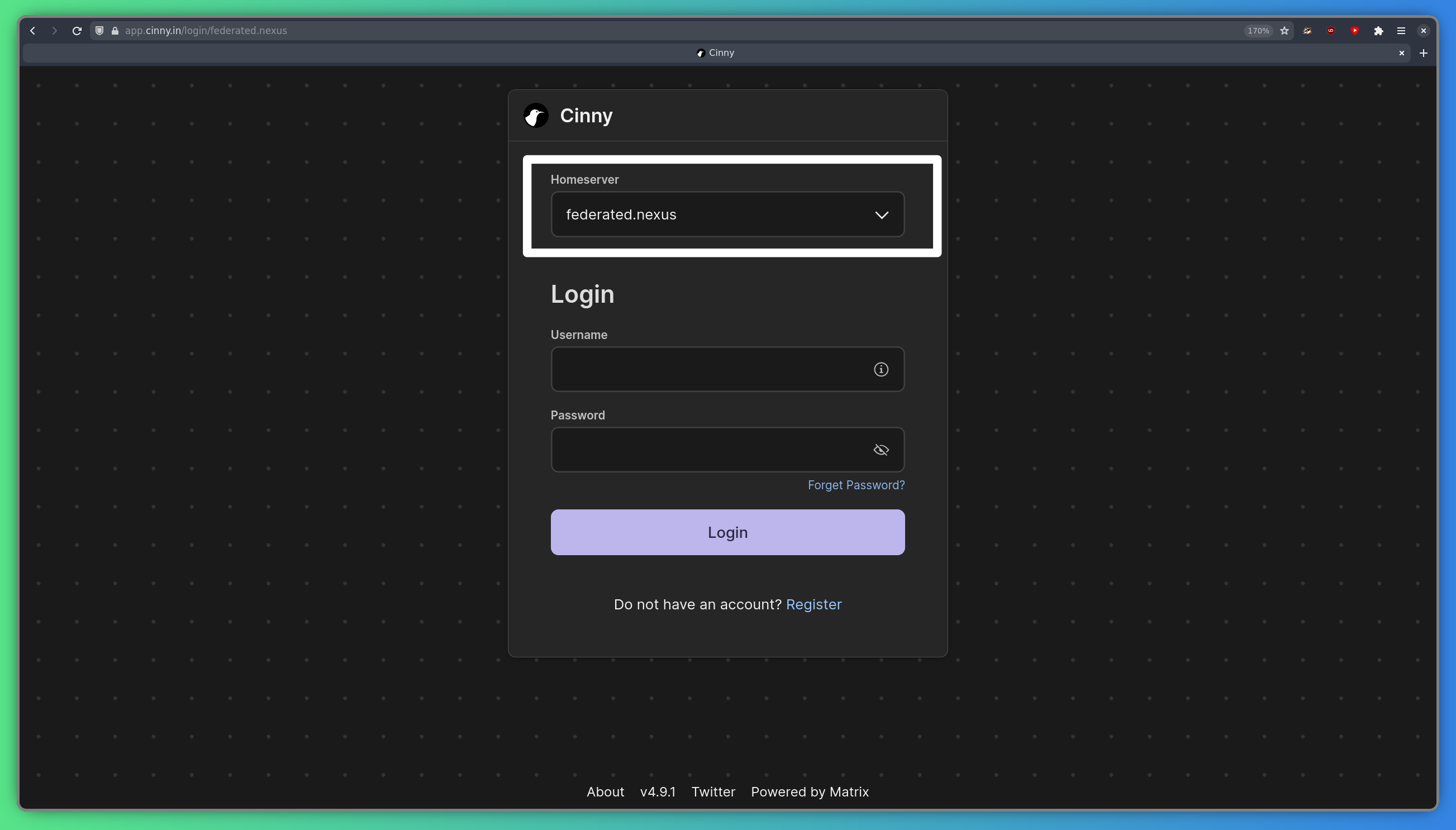
Then, just enter your username and password, and hit log in!
Joining the Community Room
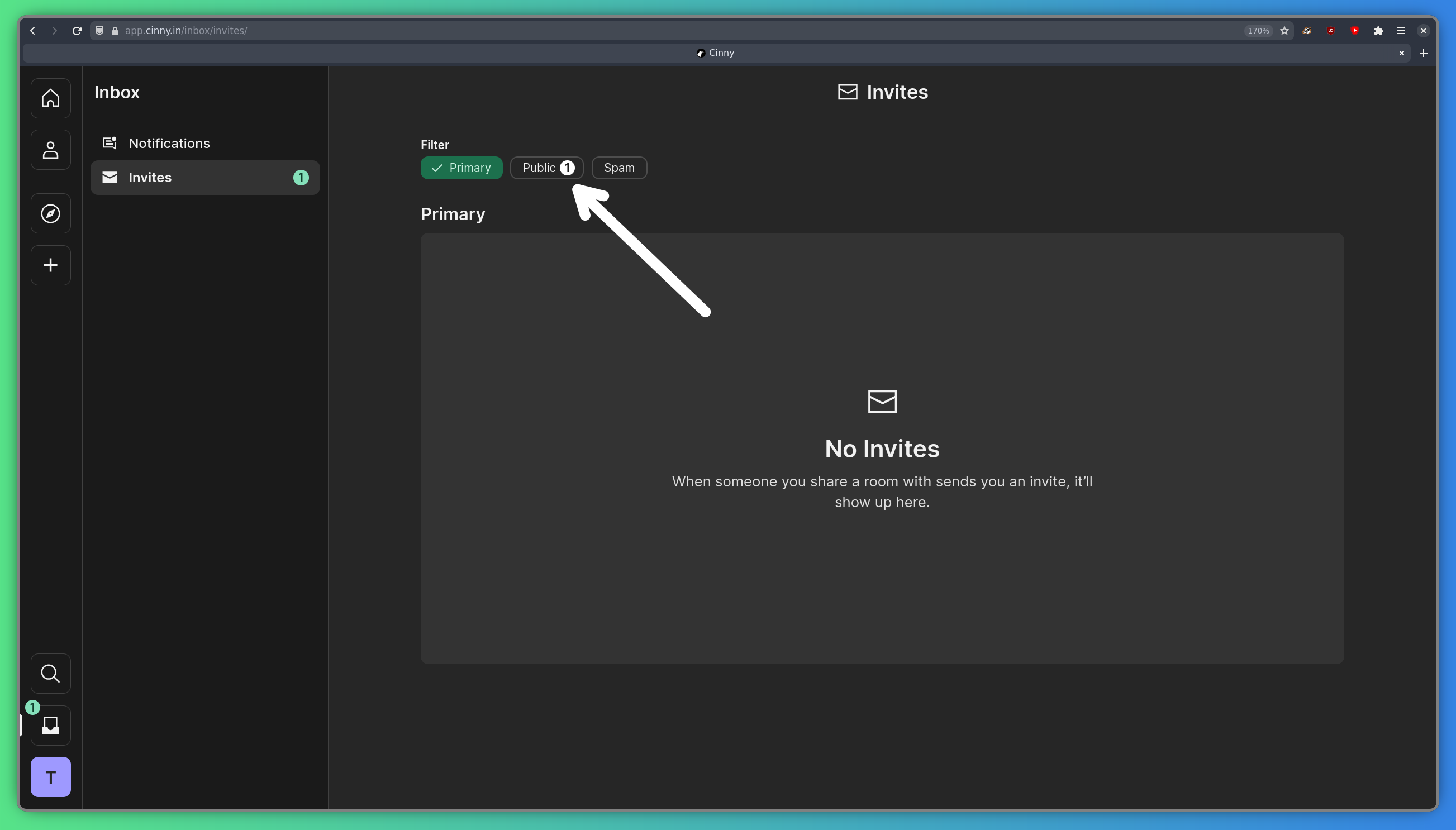
Section titled “Joining the Community Room”After logging in, you should notice a notification in your inbox, in the bottom left corner of your screen:

Click the notification, and you will be greeted with the invites page. Click public, which has a notification next to it.
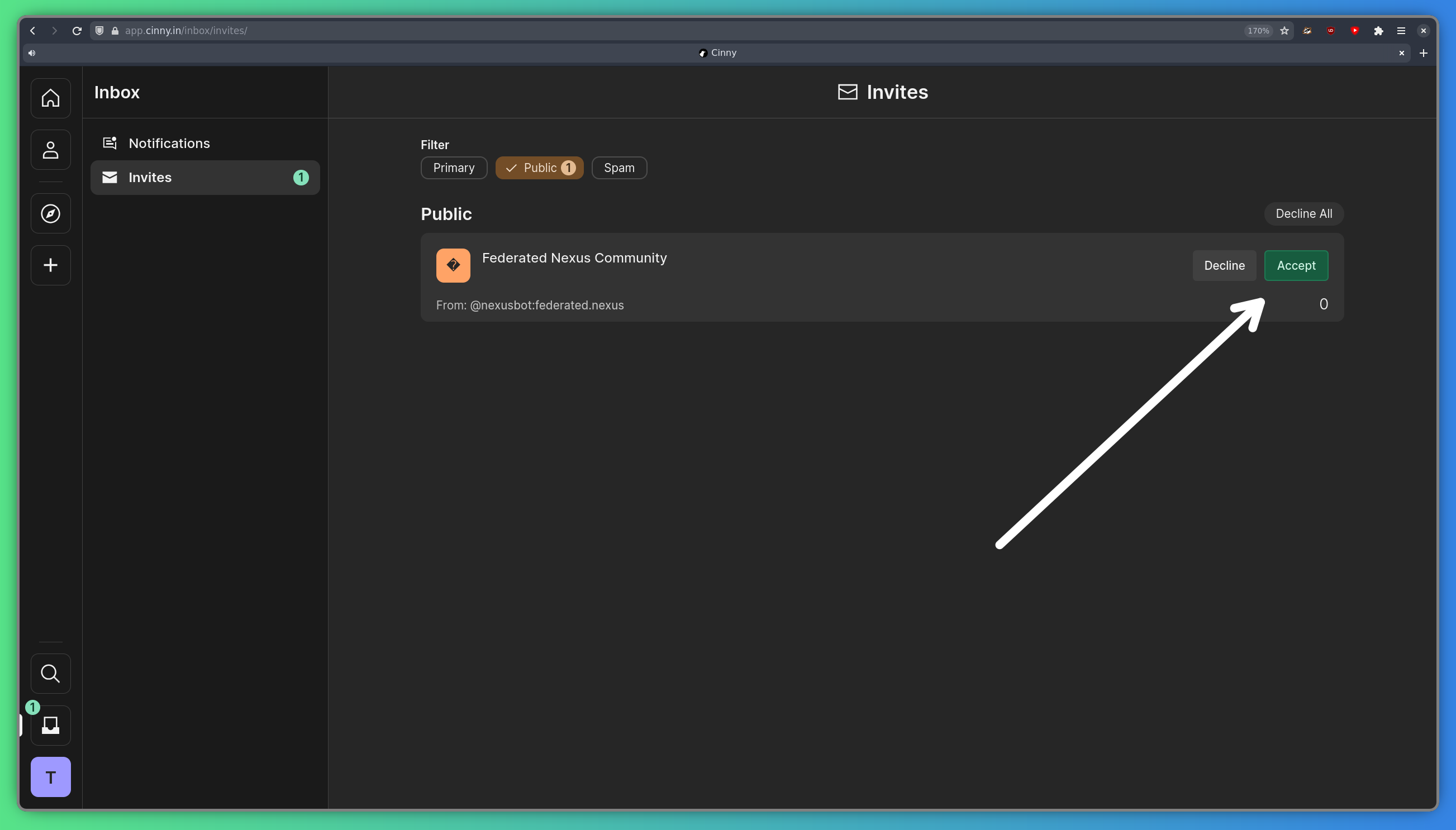
From there, accept the invitation to the “Federated Nexus Community” room, and you’re good to go!
Homeserver
Section titled “Homeserver”Federated Nexus runs Continuwuity, a Rust implementation of the Matrix specification. This means it doesn’t quite have all the features of Synapse, but it’s much more performant. Some features that Continuwuity lack include:
- Rooms older than v3: In Matrix, each room follows a certain version of the Matrix spec. Continuwuity currently supports room versions v3 to v12, covering the vast majority of rooms. Room version v2 is very very old, and should never be used, but some rooms still use it. With Federated Nexus, you won’t be able to join these rooms, sorry.
Authentication
Section titled “Authentication”Matrix is the hub of Federated Nexus, everything else authenticates against Matrix. This means that when you change your password on Matrix, you’ll need to log into everything else with the new password.